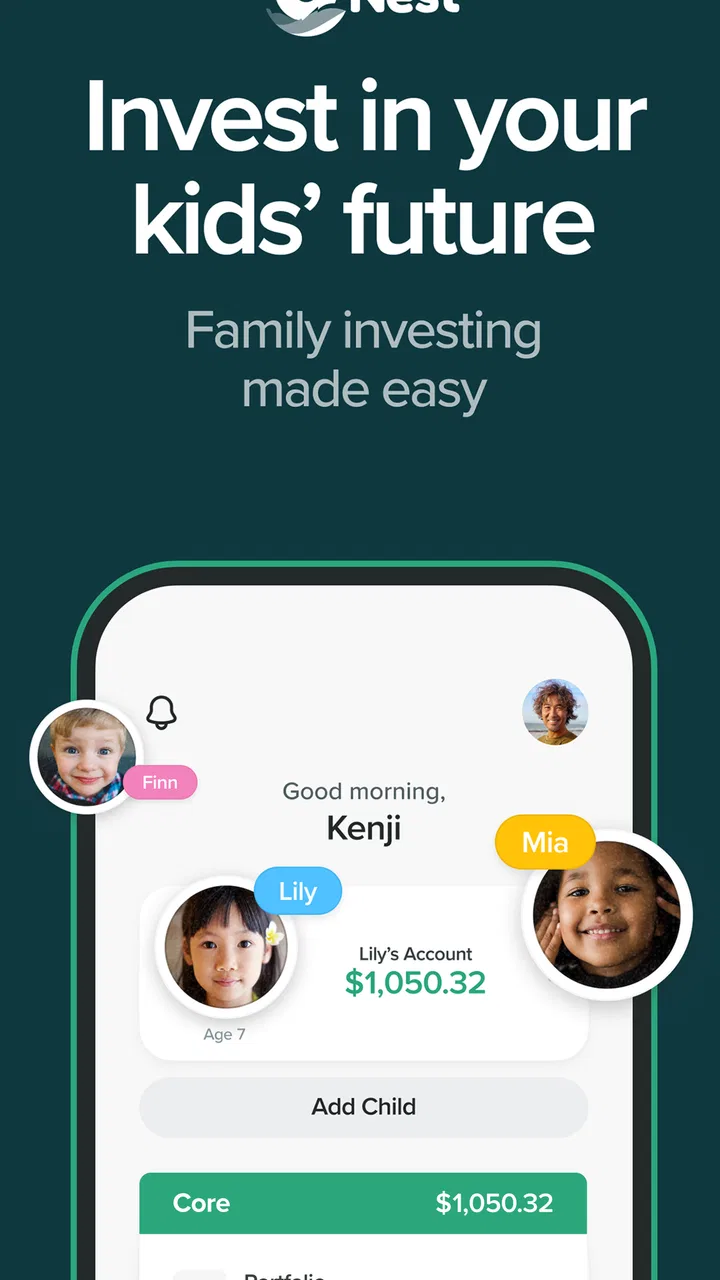
UNest: Invest & Save for Kids
- 3.8
- Rating
- 100.00K
- Installs
- Free
- Price

 Analysis by App-foxy
I approached UNest: Invest & Save for Kids as a parent-focused finance app rather than another general investing dashboard. Its purpose is straightforward: help an adult save and invest for a child through a UTMA custodial account. That focus makes it easier to understand than a full brokerage platform, but it also means the account structure matters just as much as the app experience.
In everyday use, the appeal is convenience. Instead of treating a child’s future as an abstract financial goal, I can connect the idea of saving with a specific child and a recurring habit. The app is free to install, carries an Everyone age rating, and comes from UNest Holdings, Inc. Its current version is 3.8.1, while its overall store presence includes more than one hundred thousand installs and an average rating of 3.8 from roughly two and a half thousand ratings.
That combination tells me this is an established but not universally loved product. I would recommend trying it if you want a simple starting point for custodial investing and do not want to build the process yourself from scratch. I would be more cautious if you already understand brokerage accounts, want extensive investment controls, or need a tool for managing several different financial goals beyond a child’s account.
You May Also Like

 Blood Strike: 2.5 Anniversary
Blood Strike’s Loadouts Turn Every Drop Into a Tactical Gamble
A close look at Blood Strike’s custom loadouts: how fast access to signature weapons reshapes its battle royale rhythm, rewards preparation, and narrows the gap between fights.

 Pandora - Music & Podcasts
Pandora’s Music Is Easy to Start, but Harder to Recover
Pandora’s strength is its low-effort path from a seed to a station. Its weak spot is how much confidence it asks you to place in connection, setup, and quiet recovery.

 8 Ball Pool
 Is Built on Rivalries, Rematches, and Routine
A close look at the rivalries, rematches, shared routines, and unanswered safety questions that turn a quick pool match into a persistent mobile community.

 Samsung Music
’s Quiet Strength Is Playing What You Already Own
Its reach comes less from spectacle than from dependable access to a personal library. That simplicity is both the app’s strongest retention engine and its ceiling.

 AccuWeather: Weather Radar
AccuWeather Review: A Quick, Clear Forecast for Everyday Decisions
For everyday plans, the best forecast is the one you can understand quickly. AccuWeather makes rain timing, radar, and local conditions easy to act on, with a few trade-offs.

 Hill Climb Racing
Why Hill Climb Racing Still Turns Crashes Into One More Run
A tiny car, a bumpy hill and one more upgrade: Hill Climb Racing keeps resurfacing because its simple chaos makes every near-miss feel personal.
More From Our News Desk



How the current UNest experience fits a family’s routine
I look at a shared household routine as a chance to make the saving goal visible without turning the account into a shared login or a group decision by default. Before involving relatives or using a family device, I’d agree on who manages the custodial account and how everyone else can support the child’s goal. That boundary makes coordination easier, so next I’d focus on keeping contributions and expectations clear.
A focused alternative to a general brokerage account
The most important design choice is the UTMA custodial account. A UTMA account is not merely a labeled savings jar inside an ordinary banking app. It is an account held by an adult custodian for the benefit of a minor, with rules around ownership and eventual control. That distinction should shape your decision before you think about screens, reminders, or automation.
I see the app’s strongest use case in families who want to begin investing for a child but feel that a traditional brokerage interface asks too many questions too soon. A general brokerage account may offer more securities, research, order types, and account options. Those tools are useful for experienced investors, but they can also turn a simple family goal into a project. UNest puts the child-centered purpose first, which lowers the initial mental load.
That simplicity is helpful when the real obstacle is consistency. A parent may understand that investing early can matter, yet still postpone opening an account because the process feels disconnected from daily life. A dedicated kids investing app gives the goal a name and a place. I find that framing more motivating than leaving the money mixed into a general portfolio with no visible connection to the child.
A realistic family scenario
Imagine a parent who receives a small amount of extra money after each payday. Rather than waiting until there is enough to feel significant, the parent can use the app as a reminder to direct part of that money toward a child’s long-term account. The useful habit is not checking the balance every night. It is deciding on a sustainable contribution, reviewing it occasionally, and allowing the account’s purpose to remain clear.
For grandparents, relatives, or separated households, the same idea can make a contribution feel more personal than sending money into an ordinary savings account. However, I would first agree on who is responsible for the account, how contributions will be handled, and what the custodial arrangement means. The app can organize the experience, but it cannot replace a family conversation about control, expectations, and the child’s future access.
The practical advantage is not that the app makes investing risk-free; it makes a long-term family intention easier to act on. That is a meaningful benefit, especially for someone who might otherwise do nothing because the alternatives feel too technical.
What the account structure means in practice
A custodial account deserves more attention than the promotional idea of “saving for kids.” The adult opens and manages the account for the minor, but the money is intended for that child. This can be very different from keeping money in the parent’s own account and deciding later whether to gift it. Before depositing meaningful sums, I would make sure I understand the ownership implications and how the arrangement fits the family’s broader plan.
This is also why I would not use UNest as a substitute for an emergency fund, short-term school expenses, or money that a parent may need to reclaim. A child-focused investment account is better suited to a goal with a long time horizon. If you may need the money soon, a cash savings option may be more appropriate, even if it feels less exciting.
Where the free download fits into the cost decision
The app itself is free, but in-app purchases range from $4.99 to $149.99 per item. That makes it important to separate the cost of getting the app from the total cost of using any optional paid elements. I would not assume that a free download means every part of the financial service is free, nor would I judge the product solely by the presence of purchases.
My advice is to inspect each charge carefully before accepting it and compare the value of any paid option with a no-cost alternative. For a small recurring contribution, a fixed fee can have a much larger effect than it would on a larger portfolio. A parent should consider the relationship between account size, contribution frequency, and any applicable costs rather than looking only at the headline price.
What the current release tells existing users
The current version, 3.8.1, shows that the app is being maintained beyond its original release on November 27, 2019. That is useful context for existing users: this is not a product that appeared yesterday and has no history, but the version number alone does not tell me that every part of the experience has been redesigned or that every older issue has disappeared.
I would treat an update as a reason to revisit the app, not as proof that the investment experience has fundamentally changed. After updating, existing users should check whether account navigation, contribution settings, notifications, and any purchase screens still behave as expected. Financial apps deserve that small review because a familiar interface can still change in ways that affect a routine.
The evolution also matters for people deciding whether to move an existing child-focused strategy into the service. A newer build may improve usability, but transferring or changing an account is a financial decision, not a normal app migration. I would compare the account terms and investment approach before moving money simply because the latest version feels cleaner.
Helpful habits that are easy to overlook
My first tip is to choose an amount that can survive an ordinary month, not an ideal month. A contribution that is too ambitious may be canceled repeatedly, while a smaller automatic habit can remain in place through school costs, travel, and unexpected bills. The app is most useful when it supports continuity rather than encouraging dramatic one-time decisions.
My second tip is to keep the child’s goal separate from the parent’s emotional reaction to market movement. A custodial investment account is designed around a future need, so checking it after every market headline can lead to unnecessary changes. I would schedule a calm review of the contribution and the goal, rather than treating each balance change as a command to act.
My third tip is to document the family agreement outside the app. Write down who opened the account, what the money is intended for, and how relatives should contribute. That simple record prevents confusion later, particularly when several adults want to help. The app can be the operational center, but it should not be the only place where the family understands the plan.
A fourth useful workflow is to connect the account to a specific milestone without promising a specific result. “Future education support” or “a first major expense” gives the saving habit meaning, while leaving room to reassess the child’s needs. I prefer that approach to assigning a rigid target that creates pressure or implies that investment returns are guaranteed.
Where the experience may feel limited
The same focus that makes UNest approachable can feel restrictive to an experienced investor. Someone who wants detailed portfolio construction, extensive research tools, tax-planning controls, or a broad selection of account types may quickly outgrow a child-centered app. In that situation, a conventional brokerage or a dedicated financial planning service may offer better control.
I also would not choose it simply because the word “kids” makes the account sound educational. The core purpose is adult-managed investing for a minor, not necessarily a complete investing curriculum for children. If your main goal is teaching a teenager how markets work, you may prefer an option that provides supervised learning, practice portfolios, or a clearer transition toward independent money management.
Another limitation is the potential mismatch between a simple interface and a complicated family situation. If parents disagree about contributions, if several custodians are involved, or if the money has a highly specific legal purpose, convenience should not be allowed to hide the need for professional advice. A specialized account can be useful without being the right answer for every household.
The rating of 3.8 suggests a mixed experience rather than a universal recommendation. I would read that as a prompt to test the workflow personally: examine how clearly the app explains the account, how easy it is to adjust a contribution, and whether the available information matches your level of financial knowledge. A smooth sign-up is not enough if the important decisions remain unclear.
Questions I would settle before signing up
“Is this suitable for a young child?” In principle, the child-centered custodial structure is aimed at saving and investing for minors, but suitability depends on the family’s time horizon and purpose. I would use it for money intended to benefit the child over the long term, not for rent, medical bills, or a parent’s near-term cash reserve.
“Can I use it for a teenager?” It can still make sense, but the remaining time before the money is needed becomes more important. A shorter horizon may call for a more conservative approach than a distant goal. I would involve an older child in the conversation without confusing participation with legal control of the account.
“Should I replace my existing investment account?” Not automatically. The app’s value is strongest when its focused workflow helps you start or stay consistent. If your present provider already gives you an appropriate custodial account at a lower overall cost and with controls you understand, switching may add complexity without improving the outcome.
“How much should I contribute?” I would begin with a repeatable amount after covering essential bills and maintaining an emergency cushion. The right figure is personal; the important test is whether it remains comfortable during an ordinary month. Review it after major family changes instead of increasing it just because the app makes the goal feel urgent.
“What should I watch after installing it?” I would watch the total cost of optional purchases, the clarity of account explanations, the ease of changing contributions, and whether the investing approach still matches the child’s time horizon. I would also keep records of deposits and review statements rather than relying only on a visual balance inside the app.
What I would like to see next
For future development, I would value clearer explanations at the exact moment a parent makes an account decision. Families need plain language about custodial ownership, contribution changes, costs, and long-term trade-offs, not just an attractive goal screen. Better context would make the app more useful without making it feel like a professional trading terminal.
I would also watch how the product balances simplicity with transparency. Existing users may appreciate fewer decisions, but they still deserve enough detail to understand where their money is going and why. The best evolution would preserve the welcoming family focus while giving careful users stronger tools for reviewing their plan.
My overall view is positive but deliberately measured. UNest is a sensible starting point for a parent who wants a dedicated way to invest for a child through a UTMA custodial account and prefers guidance over a crowded brokerage interface. It is free to download, has a broad Everyone age rating, and has attracted a substantial user base, but those facts do not remove the need to examine costs and account responsibilities.
I would recommend it to a beginner who values a focused routine and is willing to learn what custodial ownership means. I would skip it in favor of a more flexible brokerage or professional adviser if I needed advanced controls, several account types, or detailed planning. Used with realistic contributions and periodic reviews, UNest: Invest & Save for Kids can turn a vague family intention into a manageable habit; it just should not be mistaken for a complete financial plan.
FAQs for UNest: Invest & Save for Kids
01What is UNest: Invest & Save for Kids?
UNest is a family-focused investing and savings app designed to help parents and relatives build money for a child’s future. It is commonly used for goals such as education, a first car, or other major milestones. The app is intended to simplify recurring contributions and long-term investing, although the exact account structure, available investments, and eligibility depend on the user’s location and current UNest terms.
02How does investing through UNest work?
After creating an account, users generally provide information about the child, choose a savings goal, and answer questions used to determine an investment approach. Contributions can usually be made regularly or as one-time deposits, and the money is invested according to the selected portfolio rather than held only as cash. Investment values can rise or fall, so returns are not guaranteed and losses are possible.
03Is UNest safe and trustworthy for saving a child’s money?
UNest uses account security measures and operates within financial and regulatory requirements applicable to its services, but no financial app is completely risk-free. Users should review how accounts are protected, whether investments are covered by applicable protections, and which company or custodian holds the assets. It is also important to remember that market investments can lose value even when an app is legitimate.
04How much does UNest cost, and are there any additional fees?
The total cost of using UNest may include a subscription, investment-management charge, fund expenses, or other account-related fees, depending on the plan and services available when you sign up. Pricing can change, so prospective users should check the latest fee schedule inside the app or on the official website. Comparing these costs with alternatives is especially important for small or long-term contributions.
05Can relatives contribute to a child’s UNest account?
UNest is built around family saving, and many users may be able to invite grandparents, relatives, or friends to contribute toward a child’s goal. The exact process can involve a gift link, invitation, or another supported contribution method. Before sharing it, check the current rules, contribution limits, identity requirements, tax treatment, and whether the recipient must create an account or provide additional information.
Pros
- Automated investing makes it easy to build a child’s savings gradually.
- Offers custodial investment accounts designed specifically for minors.
- Recurring deposits can help families maintain consistent saving habits.
- The app provides a simple way to track contributions and account growth.
- Gifts from relatives can be directed toward a child’s investment account.
Cons
- Investment returns are not guaranteed and the account value can decline.
- Fees may reduce long-term returns
- depending on the selected plan and balance.
- Parents have limited control over individual stocks or specific investments.
- Withdrawals may involve restrictions because the account is held for the child.
- Availability and account features can vary based on location and eligibility.

UNest: Invest & Save for Kids
Gallery